Translate your App Store screenshots into 36 languages.
Screenshots in your customer's language are one of the few things on a store page you fully control. Doing it by hand means a copy of every screenshot per language, and pasting translations in one at a time. Screenpane keeps one design and gives each caption a translation per language, so adding a language is a click, not a new set of files.
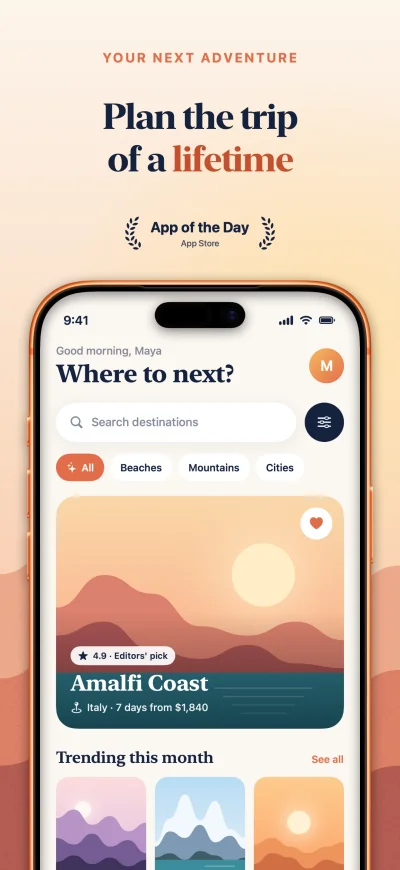 en-US
en-US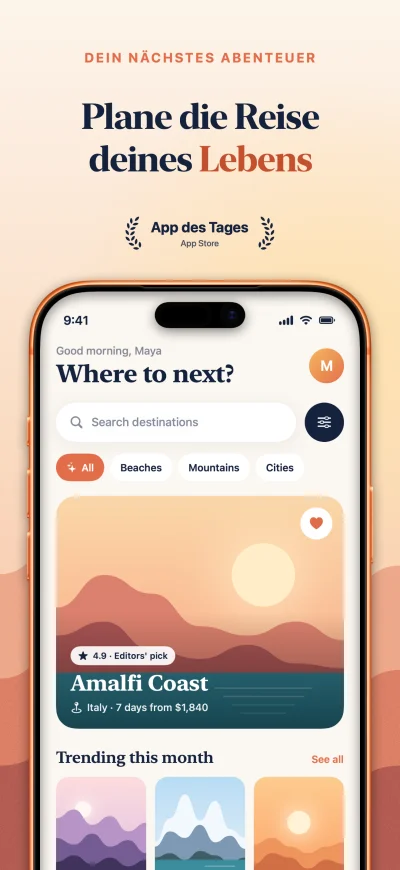 de-DE
de-DE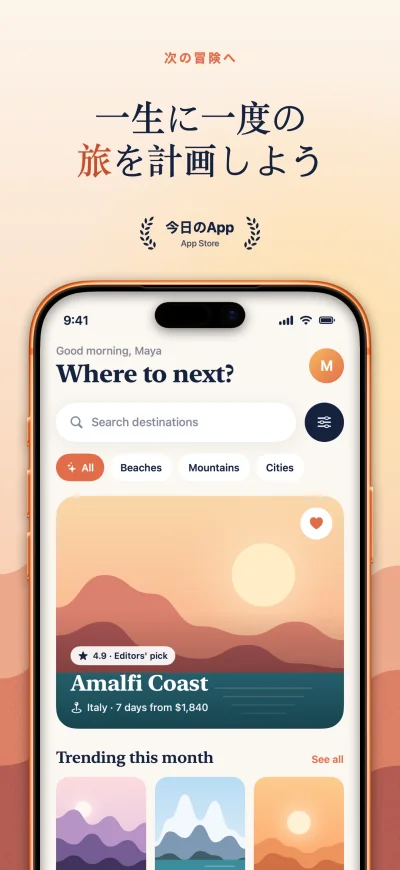 ja
ja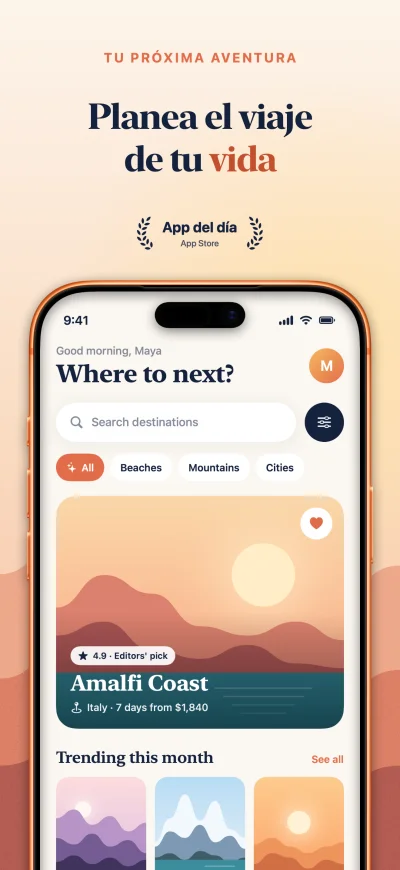 es-ES
es-ESHow it works
1. Add your languages
Add the ten biggest App Store languages in one click, or pick from all 36. Your design doesn't change; each caption simply gets a slot per language.
2. Translate in one click
Add your OpenAI API key in Settings and Screenpane translates every empty caption, asking for short, natural marketing copy rather than a word-for-word translation. Highlighted words stay highlighted in the translation.
3. Edit what you like
Change any translation by hand. Translating again refills only what is missing, so your edits stay.
4. Check every language
German runs long and Japanese runs short. The issue list flags captions that overflow or wrap onto more lines than the original, captions still untranslated and sample text left in, most with a one-click fix.
5. Export and upload
One export writes every size for every language you've added, then Screenpane uploads them to App Store Connect, sending only the screenshots that changed. A Google Play page uses Play's own language codes.
Translate your own set free for 14 days: the full app, no signup, no card.
What gets translated
- Captions, including highlighted words.
- Badges. A star rating is written the local way: 4,9 in German.
- Your listing text: title and subtitle (30 characters each), keywords (100), description, what's new and promotional text (170), kept inside Apple's limits. Keywords are asked for in the terms people in that market search, not word for word.
What doesn't: the interface of your app inside the device. Every language uses the same capture, so if your app is localised and you want it to show, that's a different capture per language, which Screenpane doesn't do.
The 36 languages
English (US) · English (UK) · English (Australia) · French · German · Spanish (Spain) · Spanish (Mexico) · Italian · Portuguese (Brazil) · Portuguese (Portugal) · Japanese · Korean · Chinese (Simplified) · Chinese (Traditional) · Dutch · Russian · Thai · Swedish · Danish · Finnish · Norwegian · Polish · Turkish · Ukrainian · Hindi · Czech · Greek · Hungarian · Indonesian · Malay · Romanian · Slovak · Vietnamese · Catalan · Croatian · Filipino
Arabic and Hebrew are missing on purpose: the canvas doesn't lay text out right to left yet.
A note on machine translation
A model's translation is a good first draft and sometimes a final one. For the markets that matter most to you, have someone who speaks the language read the captions. Their changes stay put.
Questions
What does translation cost?
Nothing from Screenpane. It uses your own OpenAI API key, so you pay OpenAI directly — fractions of a cent per caption.
Does it translate my app's screens too?
No. Screenpane translates the words around your screenshot: captions, badges and listing text. Every language uses the same capture of your app, so the interface inside the phone stays in the language you captured it in.
Can I write some translations myself?
Yes. Type over any translation and it stays. Translating again only fills the languages that are still empty.
Why no Arabic or Hebrew?
Screenpane's canvas doesn't lay text out right to left yet, so those screenshots would look broken. They're left out until it does.
Does my text go through a Screenpane server?
No. Translations go straight from your Mac to OpenAI with your key, and uploads straight to App Store Connect with yours. There is no Screenpane server in the middle.
Try it on your own screenshots
The 14-day trial is the full app, with no signup and no card. Translate your set and see every language before you pay.